Web 602026-04-20T13:29:45+00:00

WordPress website for €60 built in a minute Free .ie Domain

No code. No stress. Create your own WordPress site or store instantly using simple text prompts.

  • Free with Hosting

  • Powerful AI

  • No Coding Needed

  • Fully Personalised

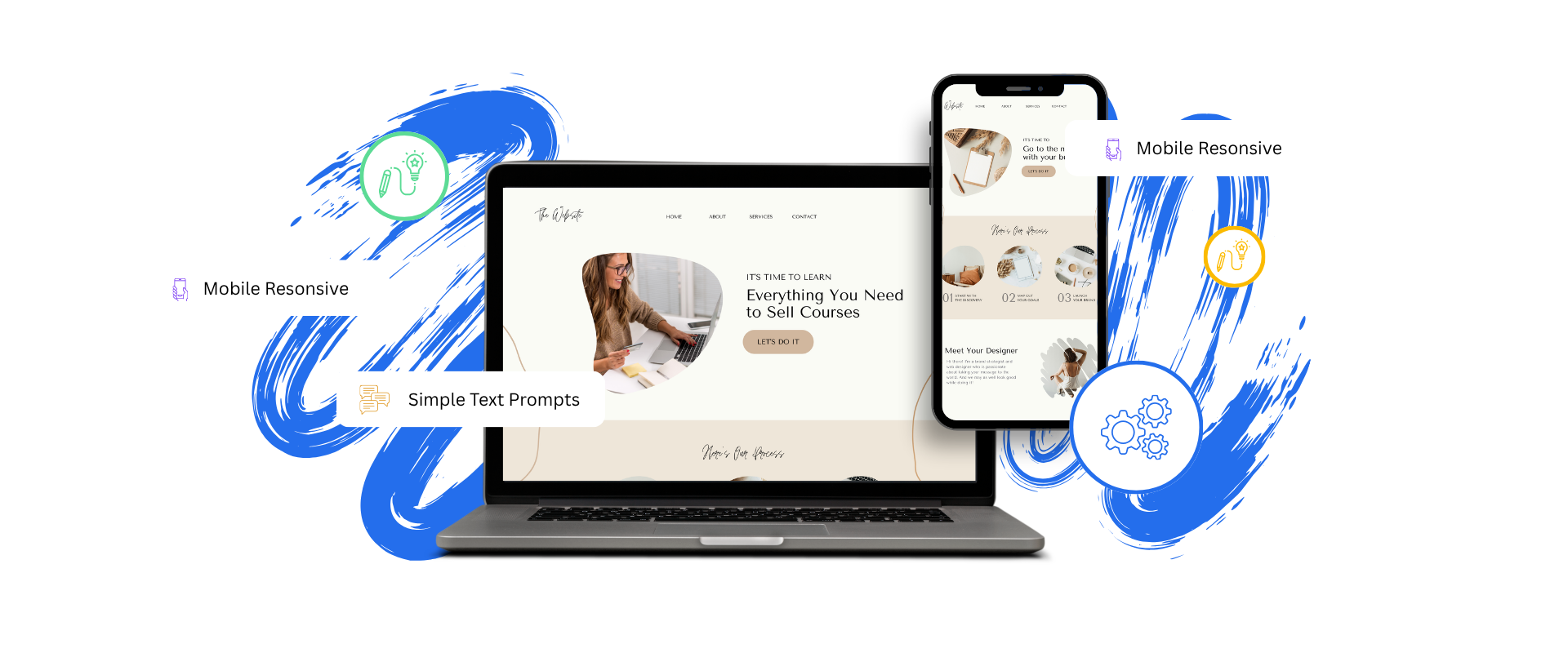
A laptop and a smartphone display a course website, with icons and text labels highlighting features like “Mobile Responsive” and “Simple Text Prompts.”.

AI-Powered Website Building Starts Now

Watch the video to see how Liftoff transforms WordPress design.

Two people look at a laptop screen together, smiling, in a bright room. The image is from a YouTube video about website building by DreamHost.

Boost your productivity to new heights!
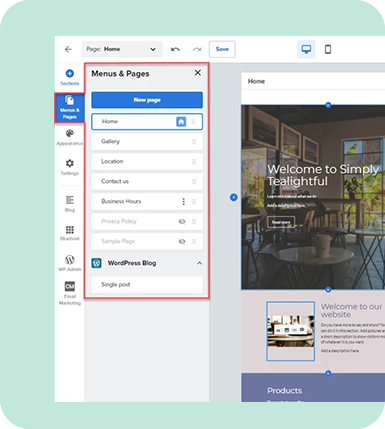
A website editor interface shows a sidebar menu with page options and a preview of a homepage titled “Welcome to Simply Teatightful.”.

Freedom and Flexibilty

Install via the WordPress Install Assistant in the DreamHost control panel.

Three modern website homepages are displayed overlapping, featuring layouts for job searching, pet products, and online courses, emphasizing clean design and engaging images.

Endless Design Possibilities

Create a personalized WordPress website in less than 60 seconds by providing a few details to AI.
A rounded box contains a headline and text about a home cleaning service, highlighting online booking and 24/7 access, with a green "About" button below the text.

AI Will Do it for You

Personalized WordPress dashboard with smart tasks so the next steps are always clear.

AI-Driven Tools to Elevate Your Website

Green line icon showing a web browser window behind a globe, symbolizing the internet or global web access.

One-Click Install

Install via the WordPress Install Assistant in the DreamHost control panel.

Blue line drawing of a database connected to three computer monitors, illustrating a network or client-server structure.

AI Website Generation

Create a personalized WordPress website in less than 60 seconds by providing a few details to AI.

Purple outline of a computer monitor displaying a hammer and wrench, symbolizing tools or technical support.

Site Assistant

Personalized WordPress dashboard with smart tasks so the next steps are always clear.

Green line icon showing a web browser window behind a globe, symbolizing the internet or global web access.

AI Content Creator

Create and edit copy with the help of AI directly inside the WordPress editor. Generate AI images or select from millions of free stock images.

Blue line drawing of a database connected to three computer monitors, illustrating a network or client-server structure.

Design Library

Choose from hundreds of beautifully designed, WordPress-native block patterns and page templates.

Purple outline of a computer monitor displaying a hammer and wrench, symbolizing tools or technical support.

AI-Powered Help Center

Knowledge base, tours, and chatbot help right where it’s needed – in the WordPress dashboard.

Frequently Asked Questions

Web hosting is a service that provides a space on the internet for your website to live and be accessible to others. Here’s a breakdown of what web hosting entails:

Space on a Server:

Web hosting providers like SmartHost allocate space on a server, which is a powerful computer, to store the files and data of your website. This space is where your website ‘lives’.

Internet Connectivity:

These servers are connected to the internet. When someone types in your website address or clicks on a link to your site, their computer connects to the server hosting your website, and the server sends the requested pages back to their browser.

Domain Name:

To make it easy for people to find your website, you’ll have a domain name (e.g., smarthost.ie) that directs to the server where your site is hosted. It’s like a street address that points to your site’s location on the internet.

Server Maintenance:

Web hosting also involves maintaining these servers to ensure they are operating correctly, securely, and are updated with the latest software. This maintenance ensures your website remains accessible and performs well at all times.

Additional Services:

Besides providing server space, many web hosting services, including SmartHost, offer additional features and services like email hosting, website building tools, and technical support to help manage your online presence.

Performance and Reliability:

A reliable web hosting service ensures that your website loads quickly, has minimal downtime and remains secure from cyber threats, providing a seamless experience for your visitors.

Investing in a reputable web hosting service is crucial for the visibility and performance of your website. It’s the foundation upon which your online presence is built, making it a critical aspect of your online success. At SmartHost, we offer various hosting plans tailored to meet the needs of individual and business users alike. Explore our web hosting solutions to find the perfect fit for your website.

Purchasing a hosting plan from SmartHost is a straightforward process designed to get your website up and running with minimal fuss. Here’s a step-by-step breakdown:

Explore Hosting Plans:

Begin by visiting the web hosting page on SmartHost.ie. Here, you’ll find a variety of hosting plans catering to different needs. Compare the features, resources, and prices to determine which plan aligns with your requirements. If you need any help, our team is on hand to advise the best option for you. Our entry-level plans are ideal for small, brochure-type websites, while our larger plans will work well for e commerce websites.

Select Your Plan:

Once you’ve identified the hosting plan that suits you, click on the “Buy Now” button associated with that particular plan. This will take you to the SmartHost Order form, where you can enter your details to create an account.

Register or Login:

If you’re a new customer, you’ll be prompted to create an account with SmartHost. If you already have an account, simply log in with your credentials.

Domain Setup:

During the checkout process, you’ll be given the option to register a new domain name or use an existing domain. Follow the prompts to set up your domain.

Review and Checkout:

Review your order to ensure all details are correct. You can also add any additional services, like WordPress support, to your order.

Complete Payment:

Proceed to the payment page, fill in your payment details, and complete the transaction. Once your payment is processed, your hosting account will be activated, and you’ll receive a confirmation email with the necessary details to get started.

Access Your Account:

Log in to your SmartHost account to access your hosting control panel, where you can manage your website, email, and other hosting features.

Need Assistance?:

If at any point you need help or have questions, our support team is available by phone or email to assist you.

Purchasing a hosting plan from SmartHost is as simple as that! We’ve structured the process to be user-friendly and efficient, ensuring you can start building your online presence with confidence and with support from our customer support team.

Yes, at SmartHost, all our shared hosting packages come with the cPanel control panel, a leading control panel in the hosting industry known for its user-friendly interface and robust features.

Here’s what you need to know:

Ease of Management:

The cPanel control panel simplifies the management of your hosting environment. It’s designed to be intuitive and easy to navigate, making it straightforward for users of all technical levels to manage their websites.

Comprehensive Features:

cPanel provides a wide array of tools and features that allow you to manage domains, email accounts, databases, and more. It’s a comprehensive solution for managing every aspect of your hosting account.

Free SSL Certificate:

SmartHost includes a free SSL certificate with every shared hosting package. This SSL certificate is crucial for securing your website and ensuring the privacy and safety of your visitors’ information.

One-Click Installations:

Within cPanel, you’ll find one-click installers for popular applications and content management systems like WordPress, making it a breeze to get your website up and running.

Performance Monitoring:

cPanel also includes features for monitoring the performance and resource usage of your website, helping you ensure that your site is operating optimally.

Support and Documentation:

Should you need assistance with cPanel, SmartHost provides robust support, and there’s also extensive online documentation and tutorials available for cPanel users.

Secure and Reliable:

cPanel is known for its security features, ensuring a secure and reliable environment for your hosting needs.

With cPanel, managing your shared hosting account is a hassle-free experience. Its inclusion in all our shared hosting plans underscores our commitment to providing a powerful, yet straightforward, hosting management solution for our clients. Our aim is to empower you to manage your online presence efficiently with the best tools at your disposal.

SmartHost is a cPanel Partner

A woman wearing a headset smiles at the camera, with email and phone icons and a chat message that says "Can We Help You?" displayed around her.

Our Web Hosting Support Team Can Help

Have further questions, or need some advice about hosting solutions for you and your business? 

Our team are on hand to assist you and get your business online. Why not give us a call on (01) 901 9700 or send us an email at support@smarthost.ie. We will get back to you as soon as possible.


Go to Top